Instalment plans are great for you and your clients but are typically painful to create and manage
If you’ve ever had a client struggle to pay their invoice all at once, you’ll know how tricky it can be. You want to help them out, but chasing part payments, tracking what’s been paid, and keeping your books tidy is a headache.
That’s why we’ve built instalment plans. Now you can spread a client’s payments over time without adding any extra admin to your work stack. It’s flexible for them, predictable for you, and payments are collected and allocated automatically so there's no additional work to be done.
Why instalment plans are better with Adfin
At Adfin we aim to go above and beyond with every new feature we build. We've given extra time and attention into crafting instalment plans so they delight:
- Fully customisable instalment frequencies and amounts, so you never get stuck with your software dictating how you’d like to collect payment
- The option to collect via On Demand payments or Auto Collect, giving your clients flexibility in how to pay
- The ability to use Workflows with instalments, meaning you can choose how and when to remind your client to pay each instalment and what to do when a payment fails
- Automatic posting of instalment payments against the invoice in Adfin and your connected accounting software, so you don’t spend time allocating payments manually
How Adfin instalment plans work
You can create instalment plans for existing draft or sent invoices in Adfin and also when you first create the invoice in Adfin.
To create an instalment plan for an existing invoice, simply click on the invoice, click More actions and select Convert to instalment.
Setting up a new instalment plan is simple. From the Quick create menu, select Invoice and choose Instalment plan.
- Create the invoice as you normally would
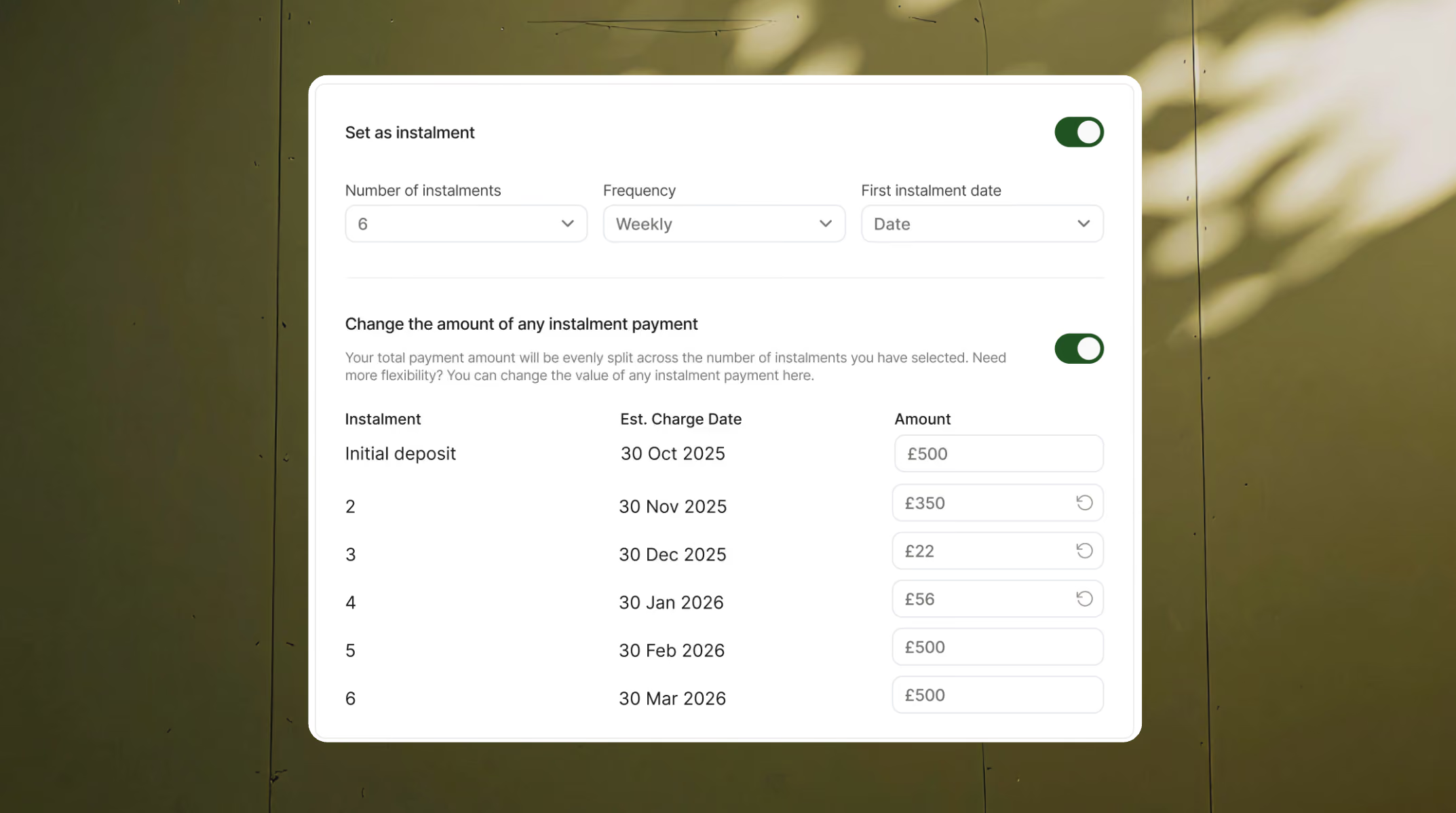
- In the Instalment plan section, choose:
- The number of instalments
- The payment frequency (monthly, weekly, yearly, or custom)
- The date of the first instalment
- By default, the total payment amount is split evenly across each instalment. If you prefer, you can adjust the amount of individual instalments manually, for example, to take a higher deposit up front.
Get started
To get started with instalment plans, log in to Adfin and head to the Quick create menu to create your first instalment plan.
New to Adfin? Book a demo or chat with our team — we’ll show you how instalment plans work and how they can help you keep cash flowing without the chase. Learn more at adfin.com.